
How it works01Features02Pricing03Learn04Contact05View Beck AIApp Store
Subscription required · review current terms in the app
Pickup change Friday. Permission slip Tuesday. Doctor at 3:15 next Wednesday — no, the new time. Beck AI holds the schedule so you don't have to. Type or snap, see the draft, tap confirm.
 iCloud
 Google
 Outlook
 Exchange
 Fastmail
 Yahoo
Yahoo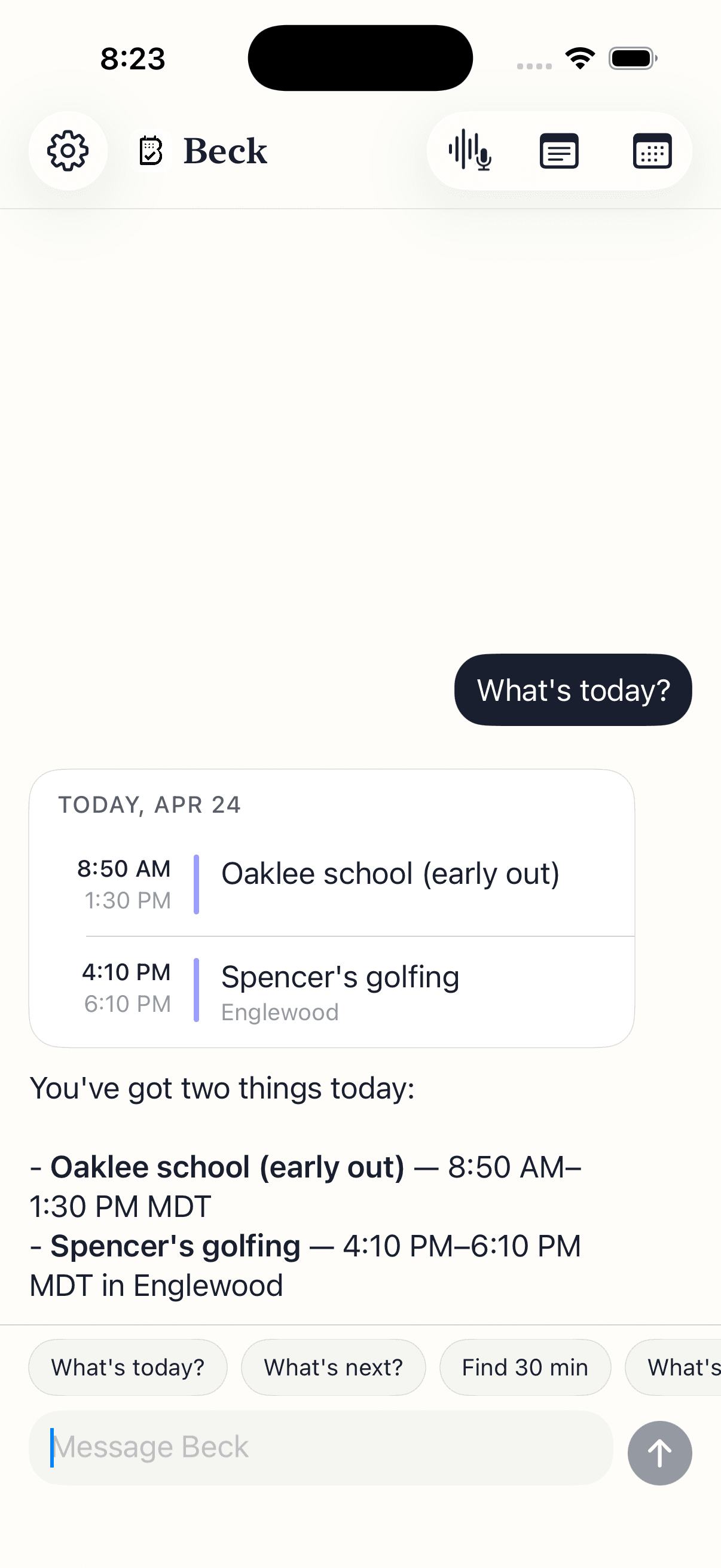
Backpack flyers, classroom bulletin boards, group-chat screenshots. Snap whatever lands in front of you. Beck AI pulls every event out — Open House, the field trip, the make-up game — and you confirm only what matters.
Practice runs over. Pickup is at 4:15 Friday — and starting next week, 4:00. You don't want to remember which event repeats, find it, edit the recurrence by hand. Snap the text or say it.
Quiet 20 minutes after the kids are down. You ask Beck AI for the week ahead — what's already on, where the gaps are, what needs prep. One brief, one screen, no scrolling.
Cognitive load isn't 'too many events' — it's the cost of remembering which event needed what.
Your work calendar carries more than dates. Review the draft, check the destination, and know what you are sharing.
Check the proposed date, time zone, calendar, and attendees. After saving, open the event to verify the result before retrying.
Calendar permissions, account restrictions, and your employer's rules matter. Start with a non-sensitive test event before using an assistant with work information.
Calendar requests, images, and meeting recordings can involve different processing paths. Review the Privacy Policy and App Store privacy disclosures. Ask support about storage or retention before sharing sensitive material.
Beck AI isn't a clinical tool, and we won't make medical claims. But the design — short input, immediate visual draft, confirmation before any change, a quiet morning brief — was shaped by people who described their lives in cognitive-load terms. If 'getting it out of my head and into my phone' is the daily problem, Beck AI is built for that.
Yes — and it stays out of your way. Beck AI doesn't try to be a family-shared wall calendar (that's a different category). It works with whatever calendars you already have: a personal iCloud, a shared family calendar, a work account. Snap the school flyer, capture the pickup change, see the morning brief with what's coming.
Beck AI writes events with whatever alerts you'd normally use — there's no separate reminder system. The daily brief in the morning is what most people lean on: a single message that surfaces what's coming and what to prep, instead of a stream of notifications.
You don't have to be precise. Half-formed sentences work — Beck AI reads what you wrote, makes its best draft, and shows you a card. If something's wrong, tap edit. If something's missing, Beck AI asks back in the chat.
The opposite is the design goal. The morning brief is silent on quiet days. There's no streak, no nag, no 'you've been away from Beck AI for 3 days.' The whole point is less noise.
Yes. Your chat history stays on the phone. Only the current message leaves to be answered, and it isn't retained after the response. Nothing you say, snap, or schedule is ever used to train AI, and nothing is sold.
The next reschedule, school flyer, or “can we do Thursday?” takes one sentence.

 On your computer? Point your iPhone camera here.