
How it works01Features02Pricing03Learn04Contact05Try Beck AI freeApp Store
Free 3-day trial · iCloud, Google, Outlook · No ads
Most tools called “AI scheduling assistants” are autopilots — they place tasks and rearrange your day on their own. Beck AI is the other kind. It drafts the event, checks the calendar you already have, and proposes. Nothing lands until you tap confirm.
 iCloud
 Google
 Outlook
 Exchange
 Fastmail
 Yahoo
Yahoo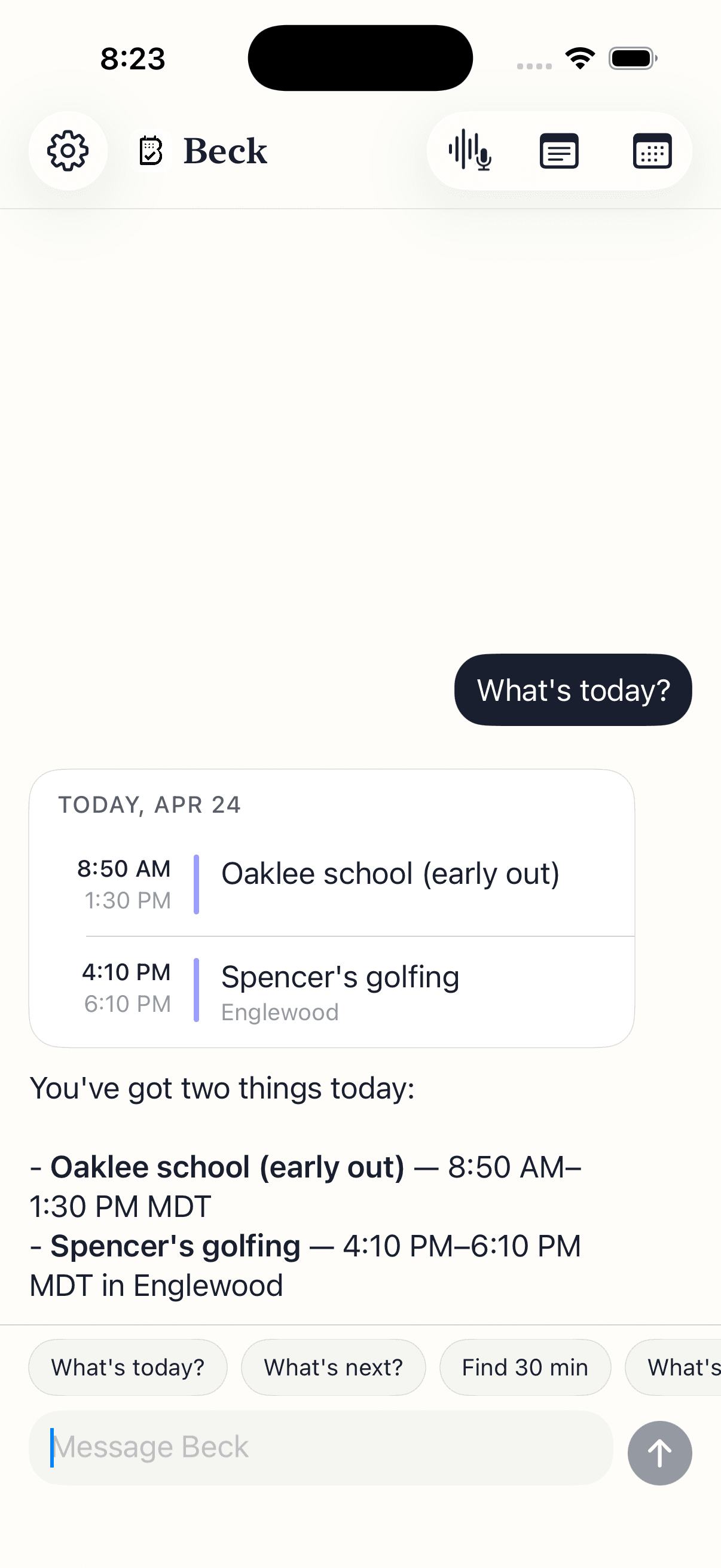
Both are sold as AI scheduling assistants. One acts and tells you after. One asks first. Pick the model you actually want running your calendar.
Not a robot rearranging your week. A fast hand that drafts the next thing and waits for your tap.
Skip the form. Say what you mean and get a drafted event back, checked against your day.
Tell it what changed; it finds a slot and hands you a draft to approve. It doesn't move anything on its own.
When a new request collides with something, Beck AI flags it and proposes free times instead of overwriting your day.
A flyer, a screenshot, a printed agenda. One photo, every event extracted as drafts you confirm.
Your calendar is as private as your contacts. Nothing is sold, nothing trains AI, and nothing lands on your day until you tap confirm. That's the deal.
Every create, edit, and delete surfaces as a card. You see the draft before it touches your calendar.
Beck AI never trains on your calendar, your chats, or your notes.
Voice input is transcribed right on your phone. Only the current message travels so the AI can answer it — and it isn't retained after. Record a meeting and the audio is deleted the moment its transcript is ready.
An AI scheduling assistant is software that helps you decide what goes on your calendar and when. The term covers two different things. Autopilots (like Motion or Reclaim) automatically place tasks and rearrange your day on their own. Meeting bookers (like Calendly) coordinate times with other people. Beck AI is a third kind: a confirm-first assistant that drafts events from what you type, say, or photograph, checks them against the calendar you already have, and writes nothing until you tap confirm.
No — and that's deliberate. Beck AI does not auto-place tasks or silently move your meetings. It proposes: you tell it what you want, it drafts the event, checks for conflicts, and offers alternative slots when something clashes. You stay the one who decides. If you want software that rearranges your day for you, an auto-scheduler is the better fit, and we'll point you to one honestly.
Control. An autopilot acts first and tells you after — it reshuffles your calendar to optimize it. An assistant that asks proposes first and acts only on your tap. Beck AI is the second kind. You get the speed of AI capture and conflict-checking without handing over authority for where things land.
Some are built specifically for that — tools like Calendly share your availability so others can pick a time. Beck AI is not a meeting-booker; it doesn't expose a public availability link. It's an assistant for managing your own calendar: capturing events fast, catching conflicts, and drafting changes you confirm.
Beck AI connects to Google and Outlook accounts directly, and reads and writes through your iPhone's calendar system — so iCloud, Exchange, Fastmail, and Yahoo all keep working too. There's nothing to migrate. It runs on iPhone (iOS 17+) and is available on the App Store with a 3-day free trial.
The next reschedule, school flyer, or “can we do Thursday?” takes one sentence.

 On your computer? Point your iPhone camera here.