
How it works01Features02Pricing03Learn04Contact05Try Beck AI freeApp Store
Free 3-day trial · iCloud, Google, Outlook · No ads
You triage from your phone. You answer "can we do Thursday?" standing up. You walk into the next meeting having done a 5-second prep on the way down the hall. Beck AI is a calendar built for that.
 iCloud
 Google
 Outlook
 Exchange
 Fastmail
 Yahoo
Yahoo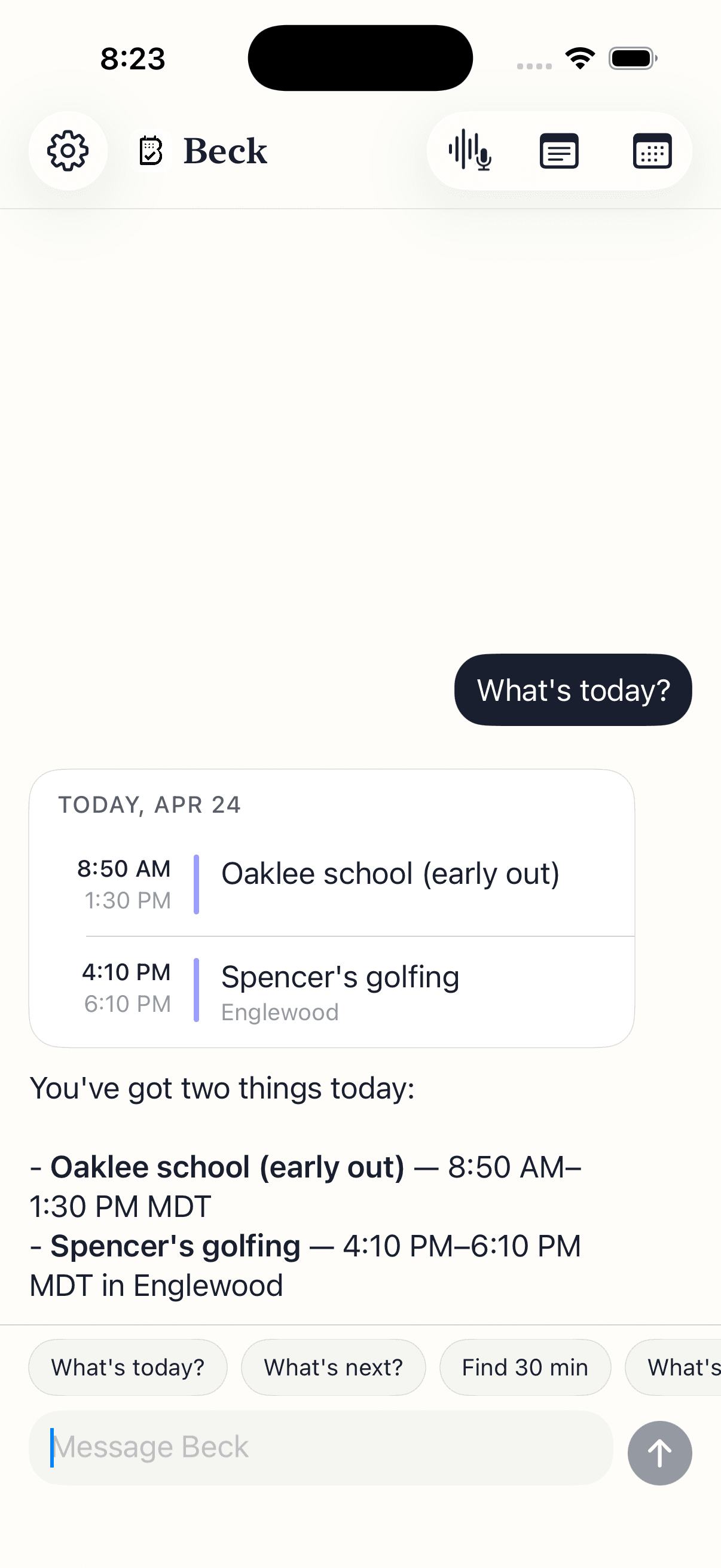
Not sitting at a desk. The hallway, the elevator, the parking lot, the walk between buildings.
Someone catches you on the way out: can we push to Friday morning? You don't have time to scroll a date wheel. Type or say the sentence — Beck AI checks Friday around your meetings and drafts the move.
Walking into the next room. You ask: what's this one about? Beck AI reads back the title, who's on it, and surfaces the linked notes from last time so you walk in with context.
You're closing out and three threads need calendar moves. One sentence each — Beck AI drafts them in a row, tap to confirm, done. No going to Calendar, finding the event, editing the form, repeat.
Twelve calendar moves a week. Most happen in motion.
Your calendar is as private as your contacts. Nothing is sold, nothing trains AI, and nothing lands on your day until you tap confirm. That's the deal.
Every create, edit, and delete surfaces as a card. You see the draft before it touches your calendar.
Beck AI never trains on your calendar, your chats, or your notes.
Voice input is transcribed right on your phone. Only the current message travels so the AI can answer it — and it isn't retained after. Record a meeting and the audio is deleted the moment its transcript is ready.
Yes — Beck AI reads and writes through your iPhone's Calendar, so anything connected there (iCloud, Google, Outlook, Exchange, Fastmail, Yahoo) is connected to Beck AI. Most professionals run a personal iCloud + a work Outlook/Exchange and Beck AI handles both at once.
If your IT lets the iPhone Calendar app touch your work calendar, Beck AI can too — Beck AI doesn't bypass anything; it uses the same EventKit your phone uses. If your company blocks third-party calendar apps at the MDM level, Beck AI won't work and we don't recommend trying to route around that.
No. Your chat history, meeting notes, and transcripts stay on the phone. Only the current message — your request plus the relevant calendar context for that one request — leaves the phone, and nothing is retained server-side after the response. Nothing is ever used to train AI.
No. Beck AI is conversational, not autopilot. Auto-schedulers reshuffle blocks for you in the background — useful if you'll surrender control. Beck AI never moves anything without your tap. Every change is a draft you read and confirm.
Yes — and editing them by sentence is the win: 'Move the Tuesday 1:1 to Thursdays going forward' edits the series in one shot, no series-edit form.
The local calendar still works for viewing. The AI parts (NL input, photo capture, conflict suggestions) need a network — they fail gracefully and let you know.
The next reschedule, school flyer, or “can we do Thursday?” takes one sentence.

 On your computer? Point your iPhone camera here.