How it works01Features02Pricing03Learn04Contact05Try Beck AI freeApp Store
Free 3-day trial · iCloud, Google, Outlook · No ads
One sentence — or a photo of the school flyer — and the event is drafted, conflict-checked, and waiting for your tap.
Used by busy people at
Beck AI drafts the event, checks your day, and writes nothing until you tap confirm.
Works with the calendars you already have — nothing to migrate.
Apple Calendar is a grid for displaying time. Beck AI is a conversation for managing it — say what you want, see the draft, tap confirm.
One sentence is enough. Or drop in a photo of the flyer, the email, the text thread — Beck AI reads it.
Title, attendee resolved from your contacts, suggested venue, conflict check — all laid out as a card.
One tap and it's on the calendar. Nothing is ever written without your say-so — that's the contract.
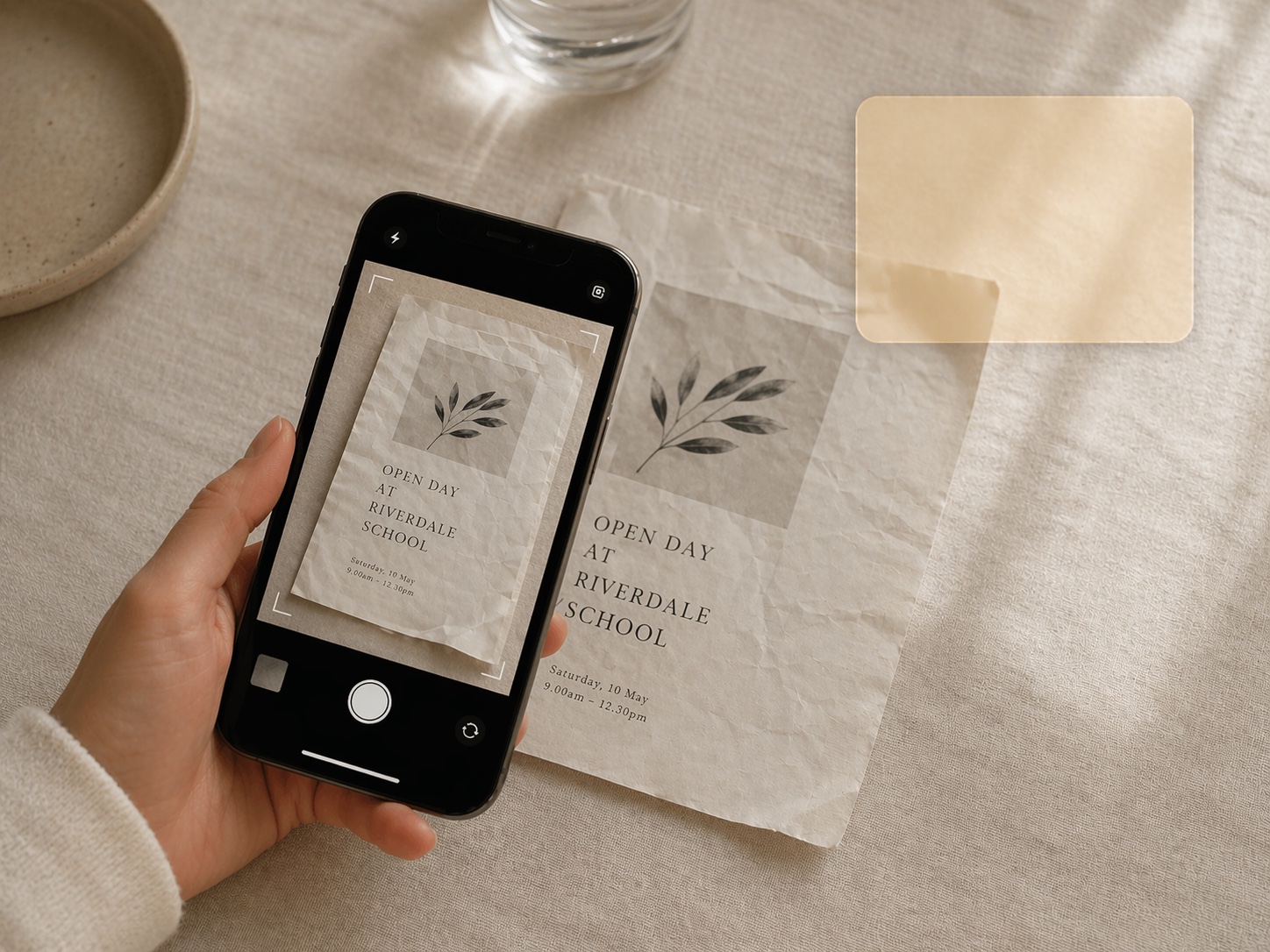
The same three beats — but the input is a photo. Beck AI reads the image, pulls every event off it, and lines them up as drafts. Two taps to keep the ones you want.
A flyer on the fridge. A whiteboard after a meeting. A screenshot of a text thread. Beck AI reads the image, extracts every event, and lines them up for your review before writing a single one.
Create, reschedule, or cancel by typing the way you'd ask a capable assistant. “Move my 3pm to Friday morning.” “Find 30 minutes with Alex this week.” Beck AI handles the mechanics.
Beck AI checks your day before proposing anything — and when things really do collide, it offers the next free slot instead of a red warning bar. Never a silent write.
One message, once a day. What's on, what to prep, where you need buffer. Silent on quiet days — the best calendar is the one that respects empty space.
Lighter day. Three things, two back-to-back this afternoon — want 15 minutes of buffer after?
Paste or record. Beck AI turns the recording into a summary — decisions, action items, people — and links it to the event, so next week when you ask “what did we decide?” it actually knows.
“My day is client calls, school pickup, and five tiny things I used to forget. Beck gives me one place to ask what is next and add anything before it slips.”
“Back-to-back meeting days finally feel manageable. Beck helps me see what is coming, add follow-ups fast, and stop walking into the next call cold.”
“All my calendars in one place controlled by my voice. Easy to use, find what I need by just asking!”
Your calendar is as private as your contacts. Nothing is sold, nothing trains AI, and nothing lands on your day until you tap confirm. That's the deal.
Every create, edit, and delete surfaces as a card. You see the draft before it touches your calendar.
Beck AI never trains on your calendar, your chats, or your notes.
Voice input is transcribed right on your phone. Only the current message travels so the AI can answer it — and it isn't retained after. Record a meeting and the audio is deleted the moment its transcript is ready.
Beck AI is a subscription because it runs on real compute every time you talk to it. The trial is long enough to put it through a few real days — which is the only way to know.
Or $79.99/year — save 17%. Free for 3 days either way; cancel in Settings any time before and you won't be charged.
Yes — Beck AI connects to Google and Outlook accounts directly, and works with iCloud, Exchange, Fastmail, Yahoo, and anything else already connected to your iPhone's Calendar app. Connect once and Beck AI reads, drafts, and checks conflicts across all of them together — work and family in one place.
Only the current message — your request plus the relevant calendar context — leaves your phone to be answered, and it isn't retained after the response. Voice input is transcribed right on your phone. If you record a meeting, the audio is deleted as soon as the transcript is ready. Nothing you say, scan, or schedule is ever used to train AI.
Of course. Beck AI writes to the same calendars Apple Calendar reads from — so anything you schedule in Beck AI shows up in Apple Calendar, and vice versa. Use whichever fits the moment.
Nothing, until you tap confirm. Every proposed create, edit, or delete is a card — you see the diff before anything changes. Tap edit to correct the draft, or cancel to drop it; Beck AI learns from the correction in the thread.
Not yet. Beck AI is built natively for iPhone, working directly with the same calendar, contacts, and camera systems the rest of your phone uses. Android is on the roadmap once iPhone feels right.
Take a photo, pick from your library, or use the multi-page scanner. Beck AI reads every event out of the image and hands them back as a batch review sheet — you pick which ones to keep before anything lands on your calendar.
The next reschedule, school flyer, or “can we do Thursday?” takes one sentence.

 On your computer? Point your iPhone camera here.