
How it works01Features02Pricing03Learn04Contact05Try Beck AI freeApp Store
Free 3-day trial · iCloud, Google, Outlook · No ads
Apple's iPhone Calendar still doesn't read natural language. You write a half-formed sentence; it hands you a blank form. Beck AI reads the same sentence and hands you a draft event — conflict-checked, attendee-resolved, waiting for your tap.
 iCloud
 Google
 Outlook
 Exchange
 Fastmail
 Yahoo
Yahoo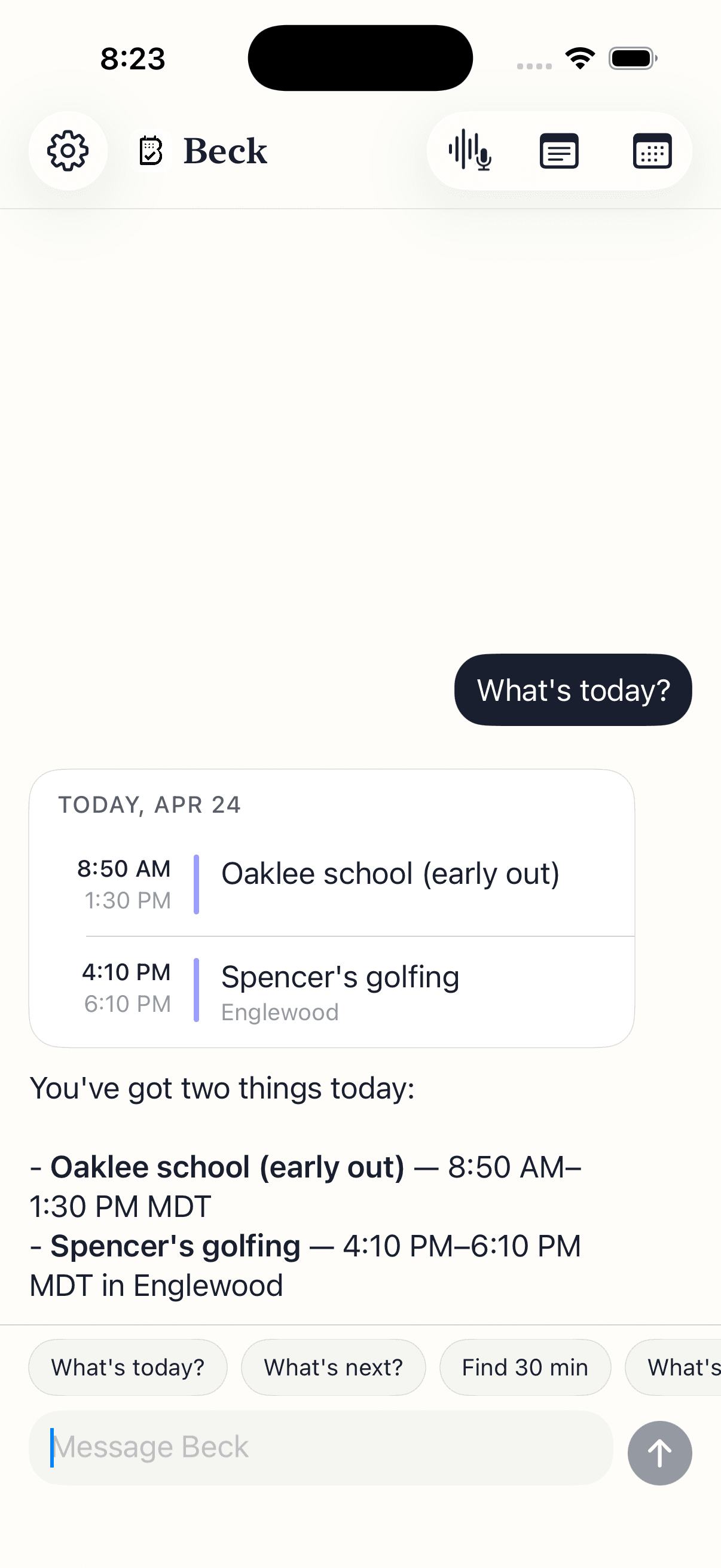
The trigger isn't sitting at a desk. It's the parking lot, the elevator, the school pickup line.
You're walking out and someone asks for a reschedule. You don't have time to scroll a date picker.
A text comes in: pickup is at 4 instead of 3:30 Friday — and going forward. You don't want to open Calendar, find the recurring event, and edit the series by hand.
You're previewing the week and you want to defend a focus block before someone books it.
On the iPhone, Apple Calendar still has no natural language input. Every new event is a form.
Your calendar is as private as your contacts. Nothing is sold, nothing trains AI, and nothing lands on your day until you tap confirm. That's the deal.
Every create, edit, and delete surfaces as a card. You see the draft before it touches your calendar.
Beck AI never trains on your calendar, your chats, or your notes.
Voice input is transcribed right on your phone. Only the current message travels so the AI can answer it — and it isn't retained after. Record a meeting and the audio is deleted the moment its transcript is ready.
Sort of. Siri can create a one-off event if you phrase it cleanly. It can't reschedule, can't edit a recurring series, can't read your existing schedule for conflicts, and forgets the conversation the moment it ends. Beck AI holds a thread, sees your day, and edits as well as creates.
Yes. Tap the mic and speak — same dictation iOS uses everywhere else. Beck AI reads the transcript and drafts the event. Useful when you're walking out of a meeting and don't want to thumb-type.
Yes. Move a meeting, cancel one, edit a recurrence, swap an attendee, change a location, add a note. Anything you'd do in Calendar — but said as a sentence instead of tapped through a form.
Fantastical's natural-language parser is rule-based — it works well when you phrase things its way. Beck AI uses an LLM with the full conversation and your calendar in context, so half-formed phrases like 'push my 3pm somewhere we can get coffee' work — Beck AI checks Friday morning around your meetings and asks back.
Yes. Beck AI writes through your iPhone's Calendar — so iCloud, Google, Outlook, Exchange, Fastmail, and Yahoo all work. If your phone sees the calendar, Beck AI does too.
Within a thread, yes — Beck AI remembers what you said five messages ago. Across threads, no: nothing is stored beyond the request, and nothing is used to train AI. The phone keeps the local context; the server keeps nothing.
The next reschedule, school flyer, or “can we do Thursday?” takes one sentence.

 On your computer? Point your iPhone camera here.