
How it works01Features02Pricing03Learn04Contact05Try Beck AI freeApp Store
Free 3-day trial · iCloud, Google, Outlook · No ads
Fantastical's natural-language input set the bar. But its rule-based parser, polished-grid mental model, and Apple-only stack don't fit everyone. Here's the short list of real alternatives in 2026, with the trade-offs each one makes.
 iCloud
 Google
 Outlook
 Exchange
 Fastmail
 Yahoo
Yahoo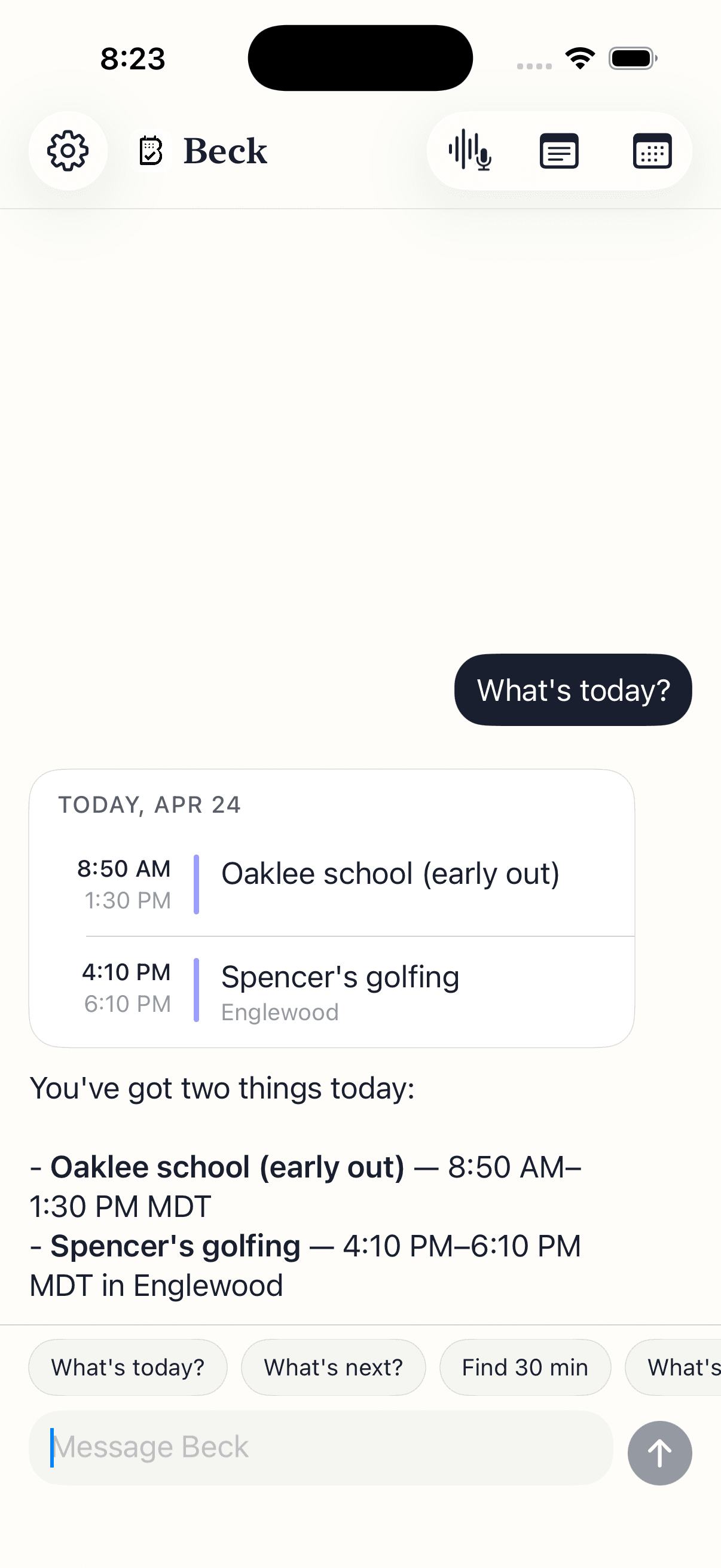
Each pick has a real trade-off — the apps without one don't make this list.
Conversational AI calendar built for iPhone. Type, speak, or snap a photo of a flyer, screenshot, or whiteboard — Beck AI drafts the event, checks the day for conflicts, and waits for your tap before writing. Holds a chat thread (so half-formed sentences work), edits recurring series by sentence, and reads a daily morning brief that goes silent on quiet days.
The default. Free, native, no setup. Reads every account your iPhone is signed into and writes back. No AI features in the core app. iOS 26's Visual Intelligence adds a single-event capture from screenshots — useful, but limited.
Clean, fast, time-blocking-friendly. Strong keyboard shortcuts on Mac. Tightly integrated with Notion workspaces. Free.
Unifies multiple calendars across providers and devices, pulls tasks from Todoist/Linear, and supports time-blocking and Calendly-style booking links. Where Fantastical is Apple-only, Morgen runs everywhere.
Long-running power-user calendar. Natural-language input (rule-based, like Fantastical), customizable views, weather, travel-time, recurring templates. Stable and deeply configurable.
The default for Workspace. Strong free/busy and meeting flow, AI-assisted features in Gemini for Workspace customers, deep email integration. The widest sync footprint.
Your calendar is as private as your contacts. Nothing is sold, nothing trains AI, and nothing lands on your day until you tap confirm. That's the deal.
Every create, edit, and delete surfaces as a card. You see the draft before it touches your calendar.
Beck AI never trains on your calendar, your chats, or your notes.
Voice input is transcribed right on your phone. Only the current message travels so the AI can answer it — and it isn't retained after. Record a meeting and the audio is deleted the moment its transcript is ready.
Different category. Motion and Reclaim are auto-schedulers that take over your calendar to reshuffle blocks around deadlines and habits. Fantastical is a calendar you drive yourself — and the apps in this list are alternatives in that same category. Auto-schedulers are great if you'll surrender control of the layout; they're not Fantastical replacements.
Nothing to migrate. Fantastical, Beck AI, Apple Calendar, Notion Calendar, Morgen, BusyCal, and Google Calendar all read and write through your underlying accounts (iCloud, Google, Outlook, Exchange, Fastmail, Yahoo). Switch the front-end and your events are still where they were.
Fantastical Premium, Morgen, and Google Calendar all support openings/booking links. Beck AI, Notion Calendar, and Apple Calendar don't have a native version today.
BusyCal has the most similar rule-based parser. Beck AI's LLM-based parser is more forgiving on messy phrasing and asks back when a sentence is incomplete, but it's a different mechanism — fast clean phrases sometimes feel quicker in a rule-based parser.
Beck AI and Apple Calendar. Beck AI is iPhone-only by design today; Apple Calendar is the default on every iPhone. Fantastical, BusyCal, and Notion Calendar all started elsewhere and have iPhone apps that trail their desktop experiences.
The next reschedule, school flyer, or “can we do Thursday?” takes one sentence.

 On your computer? Point your iPhone camera here.