
How it works01Features02Pricing03Learn04Contact05View Beck AIApp Store
Subscription required · review current terms in the app
Most AI calendars were built for laptops. Beck AI was built for thumb-typing between meetings, snapping a flyer in the parking lot, and asking your phone what's coming next. iPhone-first, iOS-native, and it talks to every calendar your phone already knows.
 iCloud
 Google
 Outlook
 Exchange
 Fastmail
 Yahoo
Yahoo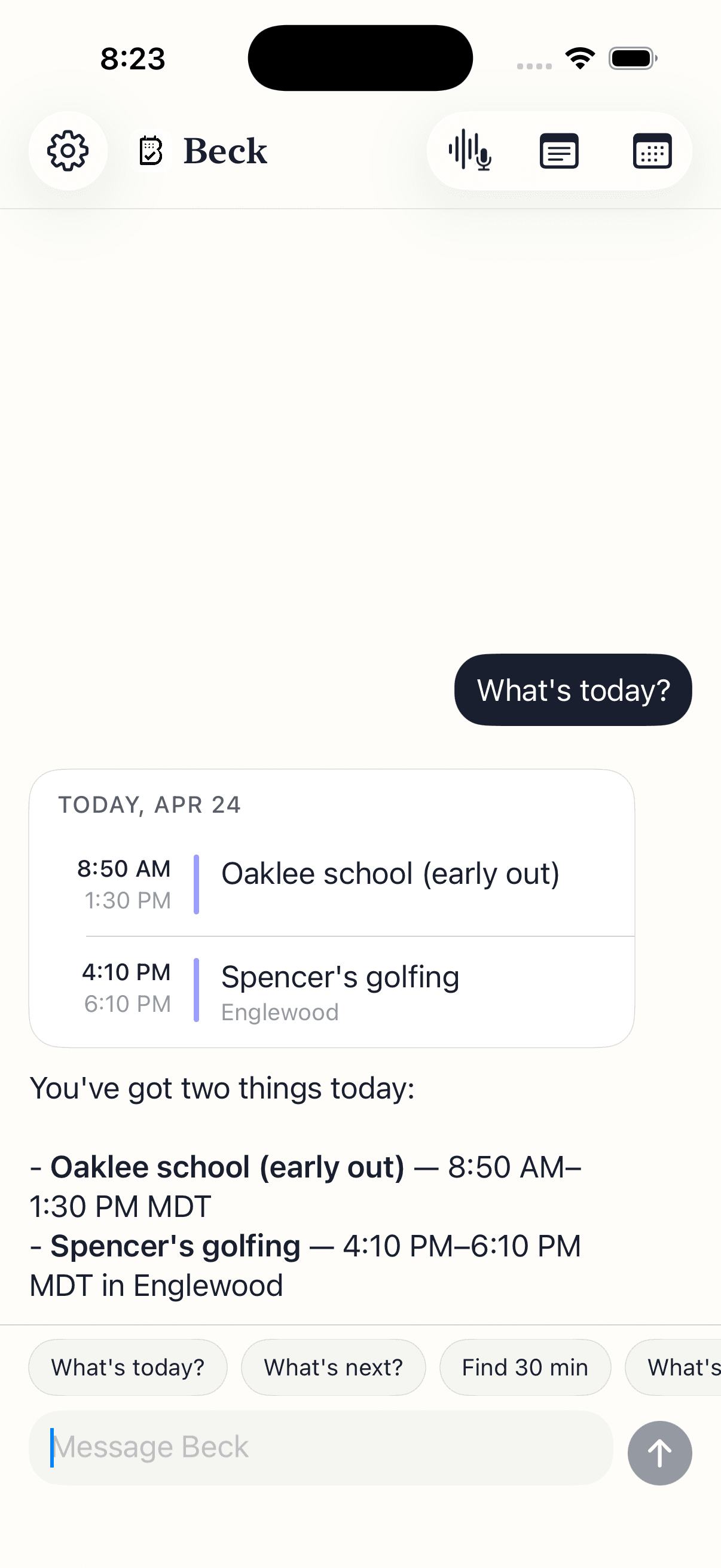
No new mental model. Just three things you already do — said back to a calendar that listens.
A flyer, a screenshot, a whiteboard. Beck AI reads the image, pulls every event, and hands them back as drafts. Multi-event, multi-page, batch review.
'Push my 3pm to Friday morning.' 'Find 30 minutes with Alex this week.' 'Block the next two Tuesdays for deep work.' Beck AI reads it the way a capable assistant would.
One message in the morning. What's on, what to prep, where you'll need a buffer. Silent on quiet days — the best calendar respects empty space.
Every AI calendar makes a tradeoff between automation and control. Beck AI's tradeoff is conversation.
Take the wheel. Reshuffle blocks around deadlines, defend focus time, rearrange when meetings move. Best when you'll genuinely surrender control of the layout.
You drive. Beck AI handles the mechanics of capture, conflict, and recurrence. Every change is a draft you tap to confirm — never a silent write.
A grid for displaying time. No chat, no photo capture, no natural-language input on iPhone. Reliable, free, and the thing Beck AI reads and writes through.
Your work calendar carries more than dates. Review the draft, check the destination, and know what you are sharing.
Check the proposed date, time zone, calendar, and attendees. After saving, open the event to verify the result before retrying.
Calendar permissions, account restrictions, and your employer's rules matter. Start with a non-sensitive test event before using an assistant with work information.
Calendar requests, images, and meeting recordings can involve different processing paths. Review the Privacy Policy and App Store privacy disclosures. Ask support about storage or retention before sharing sensitive material.
You don't tap through a form. You type, say, or snap what you want — Beck AI reads it, checks your day, and drafts the event. Editing, rescheduling, and recurring series all work the same way. The AI handles the mechanics; you just say what you mean.
No. Beck AI is conversational, not autopilot. Auto-schedulers reshuffle your calendar in the background — useful if you'll surrender control. Beck AI never moves anything without your tap. Every create, edit, or delete is a confirmation card.
No. Your calendar, your chat history, your meeting notes — none of it ever goes into AI training. Only the current message travels so the AI can answer it, and the server keeps nothing afterwards.
iCloud, Google, Outlook, Exchange, Fastmail, and Yahoo. Beck AI reads and writes through your iPhone's Calendar, so anything connected there is connected to Beck AI.
$7.99/month or $79.99/year (save 17%), with a 3-day free trial on both. Every feature included either way. Cancel from Settings any time before the trial ends and you won't be charged.
Not yet. Beck AI is built natively for iPhone, working directly with the same calendar, contacts, and camera systems the rest of your phone uses. Android is on the roadmap once iPhone feels right.
The next reschedule, school flyer, or “can we do Thursday?” takes one sentence.

 On your computer? Point your iPhone camera here.