
How it works01Features02Pricing03Learn04Contact05Try Beck AI freeApp Store
Free 3-day trial · iCloud, Google, Outlook · No ads
“AI calendar” gets used for two different things: software that rearranges your day for you, and software that helps you run your day yourself. They solve different problems. Here's the difference — and where Beck AI fits.
 iCloud
 Google
 Outlook
 Exchange
 Fastmail
 Yahoo
Yahoo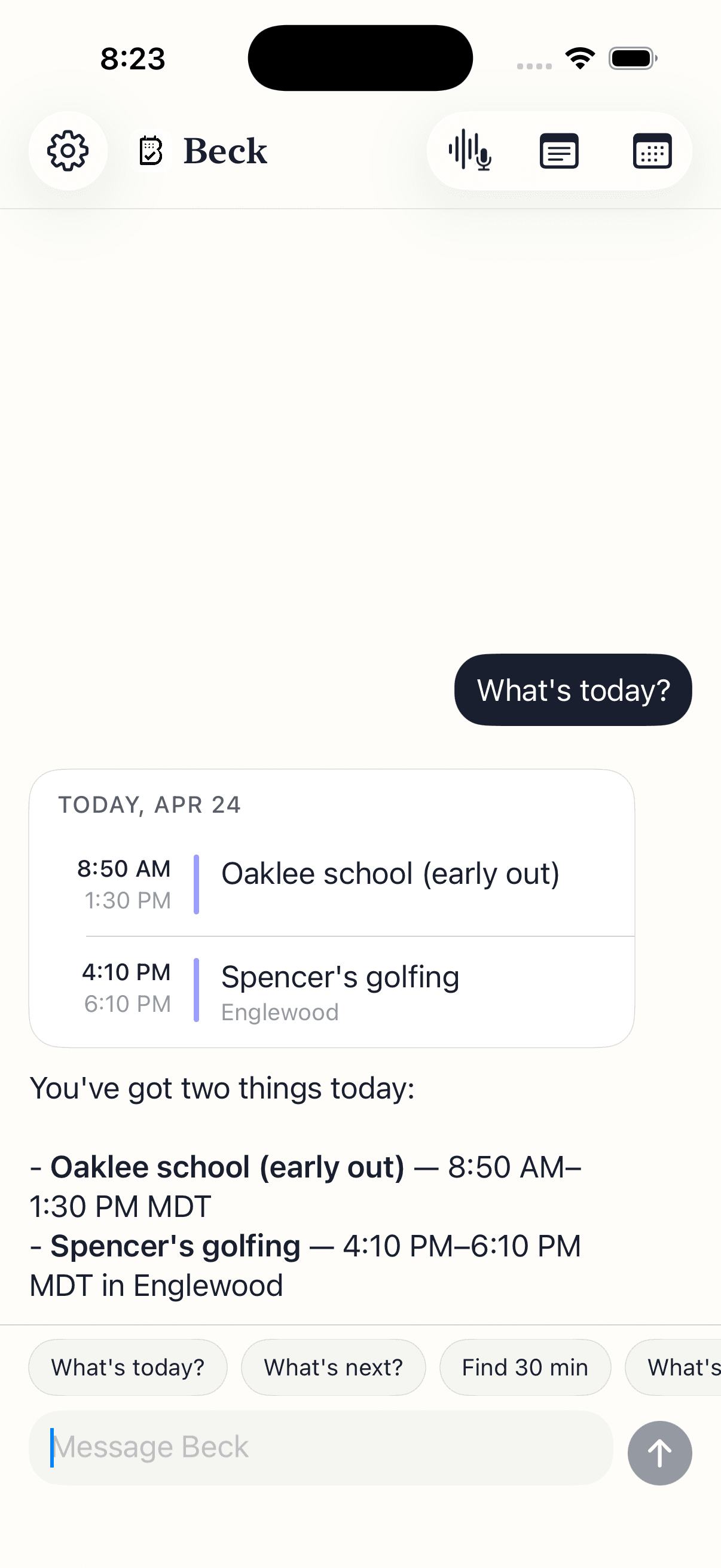
The single question that sorts the whole category: do you want it to act, or to ask?
Not features — moments. This is what 'AI calendar' means once it has live access to your real schedule.
Skip the form. Say what you mean and get a drafted event back, checked against your day.
Tell it what changed; it finds the slot and hands you a draft to approve.
A flyer, a screenshot, a whiteboard. One photo, every event extracted as drafts.
Ask for a brief and get a clean, one-paragraph read pulled from your real calendar.
Your calendar is as private as your contacts. Nothing is sold, nothing trains AI, and nothing lands on your day until you tap confirm. That's the deal.
Every create, edit, and delete surfaces as a card. You see the draft before it touches your calendar.
Beck AI never trains on your calendar, your chats, or your notes.
Voice input is transcribed right on your phone. Only the current message travels so the AI can answer it — and it isn't retained after. Record a meeting and the audio is deleted the moment its transcript is ready.
An AI calendar app is a calendar where AI is the primary way you create, change, and reason about your time — not a bolt-on feature. There are two kinds. Conversational calendars (like Beck AI) let you type, speak, or photograph a request and draft the event against your real schedule, with you confirming. Auto-schedulers (like Motion or Reclaim) automatically place and rearrange tasks and meetings for you. Both are "AI calendars"; they solve different problems.
Control. An auto-scheduler decides where things go and rearranges your day on its own. A conversational AI calendar proposes — you type or say what you want, it drafts the change and checks conflicts, and nothing happens until you approve. If the idea of software silently moving your meetings makes you uneasy, you want the conversational, confirm-first kind.
It's the practical version of that idea. ChatGPT can suggest a plan but can't see or write to your calendar. A conversational AI calendar has live read/write access to your real schedule, so it can check conflicts and make the change once you confirm. Beck AI is built this way for iPhone.
The best ones sit on top of them, not instead of them. Beck AI reads and writes through your iPhone's calendar via Apple's EventKit, so iCloud, Google, Outlook, Exchange, Fastmail, and Yahoo all keep working — there's nothing to migrate. Your events stay where they are; you just get a smarter way to manage them.
It depends on the app, so check. Beck AI keeps chat history and notes on the device, sends only the current request plus the relevant calendar context to answer it, doesn't retain that afterward, doesn't train AI on your data, and writes nothing to your calendar without your tap.
The next reschedule, school flyer, or “can we do Thursday?” takes one sentence.

 On your computer? Point your iPhone camera here.